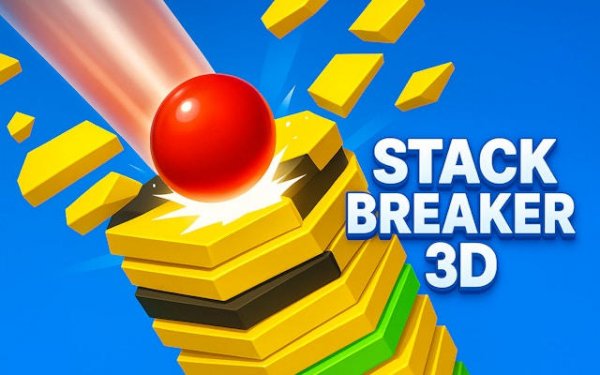
Stack Breaker 3D delivers a clean and engaging arcade experience. The simple tap-to-smash mechanic is intuitive, but the increasing speed and tricky black blocks keep you on your toes. Each level feels fresh due to the changing platform layouts. The game offers great replayability for short sessions, and the satisfying audio feedback makes every successful smash feel rewarding. It is a solid choice for casual players looking to test their timing.
Stack Breaker 3D is an arcade game where you control a falling ball that smashes through colorful platforms in a vertical stack. The core objective is to reach the bottom of each level while avoiding solid black blocks that end your run. This game offers a quick, engaging challenge that tests your reflexes and precision, with vibrant 3D graphics and simple one-tap controls that make it easy for anyone to start playing. As you progress, the speed increases and the stacks become more complex, providing a satisfying challenge for both short breaks and longer sessions.
To play, you tap the screen to smash through the colored sections of each platform. You must avoid the black blocks, as hitting one will stop your progress and force you to restart the level. The ball falls faster as you advance, requiring sharp timing and quick reactions. Each successful smash provides visual and audio feedback, making the experience rewarding. The game is designed for all ages, with no inappropriate content, ensuring a safe and fun experience for everyone.
Features include increasing difficulty with faster falling speeds and more black blocks. The game has simple one-tap controls that are easy to learn. It offers vibrant 3D graphics with satisfying visual and audio effects. The content is family-friendly, suitable for kids and adults. The game provides endless replayability with procedurally generated stacks, so each playthrough feels fresh.
To succeed, practice timing your taps precisely to smash through colored sections while avoiding black blocks. Stay focused as the speed increases, and learn to anticipate the pattern of platforms. Take short breaks if you feel frustrated, as sharp reflexes are key. Remember that each run is a chance to improve your reaction time and enjoy the satisfying feedback of a successful smash.
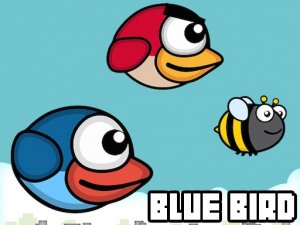
Simple tap controls and cute characters make this a relaxing yet challenging arcade game. Great for short breaks.
Bright visuals and responsive taps. A cheerful game for quick mental breaks.

Clean visuals and smooth controls. The boss battles are satisfying and the collection mechanic keeps you engaged.
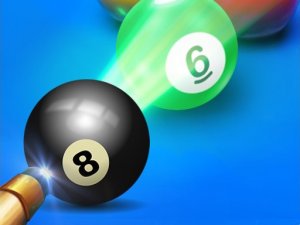
Smooth physics and simple controls. A reliable billiards game for quick fun.
Clean design and smooth gameplay. Great for short breaks and leaderboard competition.

Clean graphics and simple controls. A fun arcade game for quick play sessions.
Clean design and smooth gameplay. Great for short breaks and improving focus.

Simple tap controls and a cute slime character. Relaxing yet challenging water jumping game.