Fruit and Vegetable Word Match is a charming educational game that turns vocabulary learning into an enjoyable activity. The bright, cheerful graphics and positive sound effects keep children engaged, while the gradual increase in difficulty ensures a steady learning curve. It is perfect for family game nights or classroom use, and the lack of required reading skills makes it accessible to very young players. The simple mechanics are easy to grasp, making it a reliable tool for building word recognition and memory.
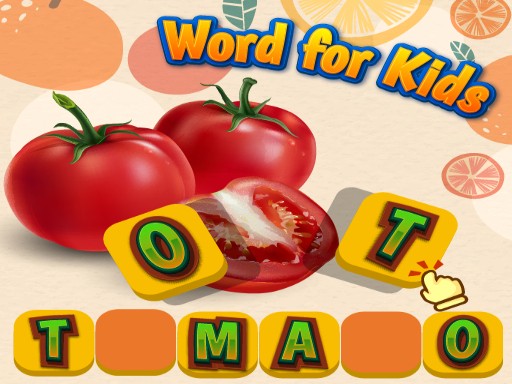
Fruit and Vegetable Word Match is an educational puzzle game designed to help players learn the names of common fruits and vegetables. The core objective is to match written names with corresponding images, reinforcing vocabulary in a playful setting. Bright, friendly visuals and cheerful sounds create a positive learning environment suitable for all ages. The game does not require reading skills for younger players, as images provide clear cues. This makes it ideal for classrooms, family game nights, or as a special activity to celebrate a child's milestone. The game combines learning with entertainment, offering a gentle introduction to word recognition and memory skills.
Players see a list of fruit and vegetable names on one side of the screen and a set of colorful images on the other. To play, click or tap a word and drag it to the matching picture. Each correct match earns points and a happy sound effect. The game includes multiple levels that gradually increase in difficulty, keeping players engaged and challenged. No reading ability is needed for younger children, as the images guide them naturally. The simple drag-and-drop mechanics make it easy for anyone to start playing immediately.
The game has a cheerful graduation theme with bright, colorful visuals. It includes funny word matching that entertains while teaching. Memory building is encouraged through repeated play. The gameplay is family-friendly and safe for all ages. Multiple levels provide continuous learning and fun.
To get the most out of the game, start with the easier levels to build confidence before moving on to more challenging ones. Encourage children to say the name of each fruit or vegetable aloud as they match it, which reinforces vocabulary. Regular practice helps improve memory and word recognition. For younger players, focus on the images to guide them without pressure.








Player Comments
Sign in to comment
You must be logged in before posting a review or rating.
No account? Create one
No comments yet. Be the first to comment!